

Dashboard
Overview of workspace activity and system health in real-time.
AI-Powered Development Platform
Codex Tool gives your team one focused workspace to run chats, inspect files, control runtime, sync accounts, and move from request to validated delivery with less drag.
10
documented modules
1
secure web workspace
24/7
runtime and account visibility
Built around the modules operators use every day
Overview of workspace activity and system health in real-time.
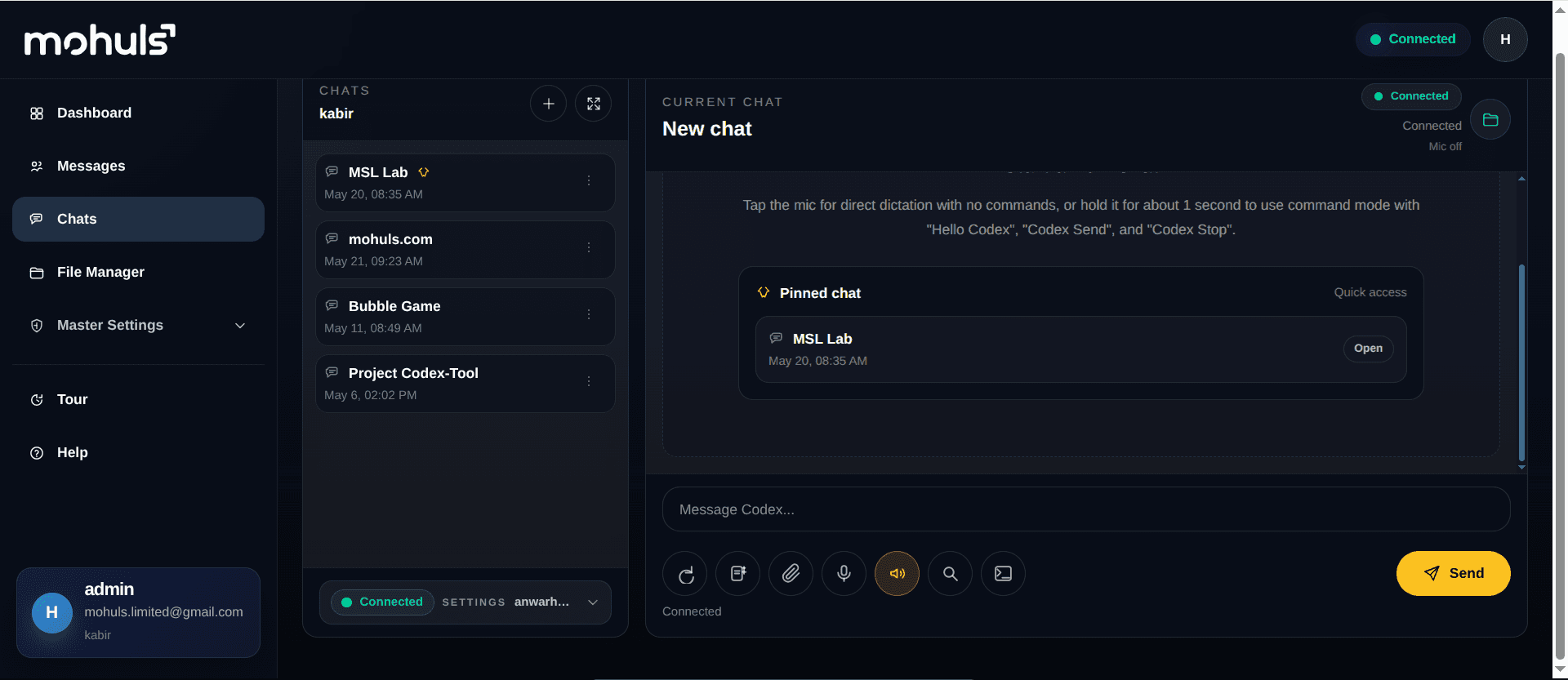
Run AI chats, get answers, and automate developer tasks.
Upload, organize, and manage your project files securely.
Control runtime, modes, and environment settings instantly.
Manage accounts, sync status, and security preferences.
Keep everything in sync across your Codex ecosystem.
Dashboard
Keep runtime health, developer context, account limits, and chat activity visible without turning the page into a crowded control room.
Read clear, verified feedback from real product, engineering, and operations teams using Codex Tool in daily work.
“Codex Tool gave our team one calmer workspace for edits, validation, and release preparation. We move faster now without losing control.”

Remar B
Search Engine Marketing
Acquire
“The workspace feels simple, elegant, and genuinely team-friendly. It helped our squads bring more consistency to everyday delivery work.”

Lane Pinkston
Business Operations Manager
Blue Star
“Flexibility, scalability, and clearer delivery visibility made a real difference. Internal collaboration improved almost immediately.”

Dominic Johnson
Platform Lead
Star Health
“Our team finally has a tighter loop between planning, patching, and review. Codex Tool made release work feel far less chaotic.”

Brent Dowling
CEO
RainTree
“We reduced handoff friction between engineering, compliance, and support teams while keeping the product experience calm and organized.”

Dr. Lina Ward
Chief Product Officer
Pulse Health
“Codex Tool helped our teams modernize internal workflows and reduce the drag between planning, implementation, and final validation.”

Olga Kovshanova
Director of Digital Operations
Minor Hotels
Platform
Move from dashboard checks to chats, file work, runtime actions, and account security inside one organized web flow.
01
Check Dashboard
Confirm runtime health, developer context, chat activity, and remaining account limits before work starts.
02
Run Chats
Use prompts, files, voice, templates, and runtime overrides inside one managed workspace.
03
Manage Runtime
Open files, adjust runtime settings, and control server actions without leaving the web platform.
04
Secure Access
Sync accounts, manage developer assignments, and keep profile sessions under clear admin control.
Product tour
See how dashboard visibility, chats, file management, sync, and user controls fit into one clean operational product.
Cleaner operations
Keep chats, files, settings, accounts, and sync work on one premium surface.
Shared admin context
Give operators and developers a clearer view of runtime state, assignments, and status.
Faster account flow
Refresh, assign, sync, mirror, and review account inventory with fewer manual steps.
Safer security
Manage passwords, assigned access, and active device sessions with less friction.
Workspace guide
Codex Tool Learn
How it helps
Codex Tool keeps runtime controls, account workflows, and access management connected in one polished operating surface.
Buy NowSettings
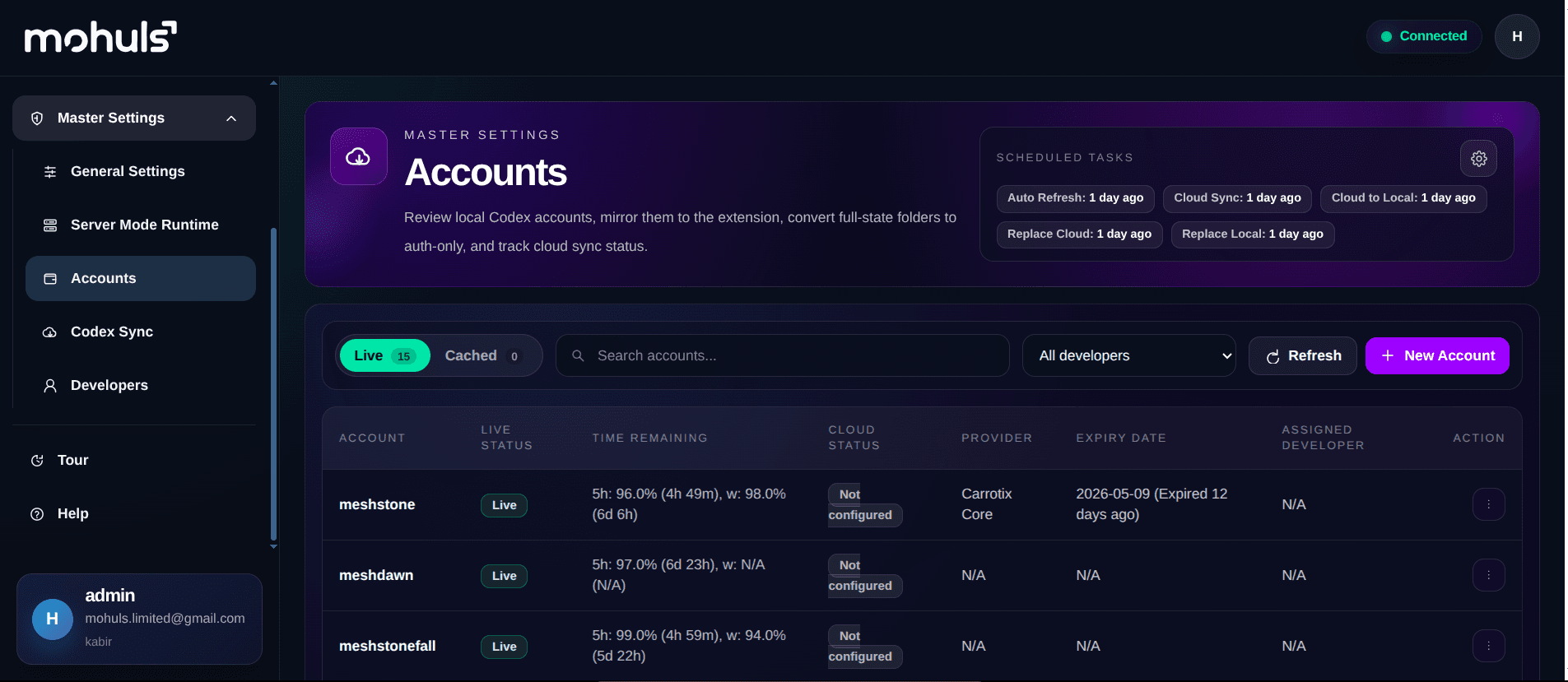
Set voice typing, OpenAI keys, audio output, voice choice, branding, developer binding, and runtime actions from one admin surface.
Accounts
Track local inventory, developer assignment, live and cached status, sync actions, bulk operations, and automation without extra clutter.
Access
Manage developer users, assigned accounts, passwords, active devices, and profile security inside the same organized workspace.
Admin views
Support admins and assigned developers with focused views for user management, personal accounts, and profile security.
Developer Admin
Manage roles, active status, profile assignment, passwords, and device sessions for each user.
User Accounts
Give developers a focused view of assigned accounts with live filters, refresh tools, and expiry visibility.
Profile Security
Let each user update profile details, change password, review devices, and revoke other sessions.
Bring admin control, assigned account visibility, and profile security into one modern Codex Tool workspace.
Buy NowResources
Use the product documentation to review module behavior, runtime controls, account workflows, sync steps, and security actions.
Next step
Bring chats, files, runtime settings, accounts, sync, and user security into one premium Codex Tool flow.
Start now
Control chats, files, runtime settings, accounts, sync, developers, and security from one organized Codex Tool workspace.